
WordPress 7.0 “Armstrong” is out, and more than half of all WordPress sites have already been updated. That alone tells you most of the story: this is a significant release, native AI is now part of the core, and the vast majority of upgrades are going smoothly. Though, a small set of backend glitches and one real security concern are getting attention in the community. So here’s what’s actually happening and how to protect your site’s performance and credentials as you scale.
Most notably, WordPress 7.0 introduces a centralized Settings > Connectors framework: a silent infrastructure layer allowing site owners to plug in OpenAI, Anthropic, or Gemini API keys at the site level. Once these keys are set, compatible plugins automatically pull from them rather than requiring individual setup.
However, the rollout has not been entirely seamless. The highly anticipated Real-Time Collaboration (RTC) feature was pulled at the eleventh hour due to underlying database bottlenecks. In addition to that, some early adopters also report post-update bugs on live production sites. So, if you’re a business owner weighing whether to click “Update Now,” or if your internal team is currently battling post-upgrade glitches, this article outlines exactly how the update is faring, where the issues lie, and how to protect both your site’s performance and security.
Where the Friction Lies: Current Issues in the Wild
In the days following the launch, community troubleshooting spaces like Reddit’s r/WordPress and official developer tracking forums have seen a steady trickle of support threads. While the update doesn’t necessarily break front-end user experiences, a small number of admins have reported issues in the backend dashboard. The reports that come up most often include:
- The Block Editor Failing to Load: Site administrators open a page or post to edit, only to encounter an infinite loading wheel or a completely blank Gutenberg screen.
- Auto-Locking or Automatic Grouping of Blocks: Users report that when editing content, blocks are automatically grouped or locked. Ultimately, requiring a repetitive, frustrating manual unlock process to select individual containers.
- The “Connectors” Screen Failing to Render: The brand-new AI Connectors setup screen under Settings frequently fails to load or appears blank. Thus, essentially, it prevents businesses from configuring their site-level AI keys.
Root Causes and Immediate Solutions
The good news is that the WordPress community has quickly identified the underlying mechanics causing these errors. If your site is currently experiencing these post-update issues, your web team can implement these fixes right away:
- Stale Assets and Caching Conflicts: In the support threads, caching comes up most often. Caching plugins and Content Delivery Networks (CDNs) can deliver outdated JavaScript alongside the new WordPress 7.0 core, leaving the editor or Connectors screen stuck while loading.
- The Fix: Perform a deep, comprehensive purge of all caching layers. Flush your caching plugin (WP Rocket or LiteSpeed Cache), clear the server-side object cache (Redis or Memcached), and purge the edge cache via a CDN like Cloudflare.
- Server Resources and PHP Constraints: WordPress 7.0 requires a bit more server headroom than previous versions, and older hosting setups may struggle to meet the updated requirements.
- The Fix: Audit your hosting environment. WordPress 7.0 officially drops support for older environments (requiring at least PHP 7.4). We recommend your hosting provider upgrade your server to PHP 8.3+ and ensure you have a high enough PHP memory limit to apply the core update with adequate headroom.
- Outdated Database Versions: This is the cause that gets the least attention and breaks the most. The redesigned admin screens in 7.0 rely on newer database features that older database versions do not support, so those screens may fail to load even when caching and server resources are fine. On an outdated database like MySQL 5.7, the queries used by the new admin interface fail or return incorrect results.
- The Fix: Confirm your database meets the new floor. WordPress 7.0 requires MySQL 8.0 or MariaDB 10.6 at a minimum, with MySQL 8.4 or MariaDB 11.4 recommended. Most managed hosts handle this during a maintenance window. On a VPS or an older shared plan, you may need to request the upgrade directly.
- The Fix: Confirm your database meets the new floor. WordPress 7.0 requires MySQL 8.0 or MariaDB 10.6 at a minimum, with MySQL 8.4 or MariaDB 11.4 recommended. Most managed hosts handle this during a maintenance window. On a VPS or an older shared plan, you may need to request the upgrade directly.
- Plugin and Theme Disconnects: Outdated block libraries or custom themes built on legacy hooks are throwing silent JavaScript errors that crash the updated editor interface.
- The Fix: Temporarily switch to a default core theme (like Twenty Twenty-Six) and systematically disable active plugins. Re-enable them one by one to isolate and patch the specific tool causing the conflict.
The Security Item Worth Taking Seriously: AI API Keys
Beyond operational glitches, a crucial security conversation has emerged regarding WordPress 7.0’s AI integration layer. Security researchers, including Oliver Sild, founder of the WordPress security firm Patchstack, have issued warnings about a newly discovered bug in the provider setup form in the Connectors dashboard.
Currently, the API key input field does not behave strictly like a hidden password field. Instead, it allows the browser to cache and display the input via autocomplete or autofill dropdowns in plain text. Anyone viewing an active browser session, a shared screen, or a compromised machine could read those credentials in plain text.
Sild warned that because WordPress 7.0 now centralizes valuable AI credentials directly in the site’s database, it will trigger an “absolute rush by hackers to steal API keys”. Stolen enterprise AI tokens can be worth tens of thousands of dollars, used by malicious actors to power bot networks, craft hyper-realistic phishing campaigns, or run up massive resource bills on your company’s credit card.
- The Short-Term Fix: For now, ensure your administrative team disables browser autocomplete when accessing the Connectors page, avoids entering keys during screen sharing, and monitors for the upcoming 7.0.1 core security patch.
Cap the Damage Before It Happens: Setting Provider Spend Controls
The WordPress Connectors screen stores your key, but it does not control how that key can be spent. That happens on the provider side, in your Anthropic, OpenAI, or Google account. If a key is ever exposed, a spend cap is what stands between a minor incident and a five-figure bill. Set these limits the same day you add a key to WordPress, not after something goes wrong.
A few things to be realistic about: none of these caps are instant kill switches. OpenAI notes there may be a delay before a limit takes effect, and you are responsible for any overage. Google’s spend caps have a roughly 10-minute enforcement delay, so a small overage is possible. The practical move is to set your cap at 5%- 10% below your true ceiling and pair it with email alerts at lower thresholds. Here is what each provider currently offers:
| Control | Anthropic (Claude Console) | OpenAI (Platform) | Google Gemini (AI Studio / Cloud) |
| Monthly spend cap | Organization spend limit, with lower per-workspace limits you can set below it | Organization billing limit that stops requests once reached; OpenAI per-project budgets are alert-only, not hard caps | Per-project spend caps in AI Studio (added March 2026) plus billing-account tier caps |
| Email alerts | Configurable spend notifications per workspace | Notification thresholds, default alert at 100%, with additional alerts you can add | Cloud Budget alerts at thresholds like 50, 90, and 100 percent (alerts only unless paired with a cap or quota) |
| Granularity | Organization and per-workspace | Organization and per-project | Billing account and per-project |
| Model or usage limits | Per-model rate limits per workspace | Per-project model usage restrictions | Per-API token and request quotas via Cloud quotas |
| Billing model | Prepaid credits | Prepaid credits with optional auto-recharge | Postpay by default; prepaid required for newer accounts as of 2026 |
The takeaway: set a hard monthly cap, layer alerts beneath it, and keep the cap slightly below your real budget so the enforcement lag never hurts you. Five minutes of setup per provider turns a stolen key from a financial event into a contained one.
How to Safely Approach the Update (For Those Who Haven’t Upgraded)
If you have not yet updated your corporate website to WordPress 7.0, do not rush. Maintaining a commercial website requires shifting from reactive damage control to a proactive, strategic maintenance workflow. Here is how you can bypass these rollout issues entirely:
- Deploy to a Staging Environment First: Avoid blindly updating a live production site on day one. A safe update workflow dictates deploying a carbon-copy staging environment that mirrors your live setup. Run the WordPress 7.0 update there first. Audit the block editor, test the Connectors screen, and look for theme regressions in isolation before touching your customer-facing site.
- Shift from “Security Plugins” to a “Security Process”: The emergence of AI API key vulnerability proves you cannot simply install a security plugin and assume your site’s safe. Security requires an ongoing operational workflow rather than a one-time software installation. Protecting your site in this era requires strict credential management, disabling unnecessary browser autofill on admin forms, enforcing granular user role permissions, and establishing a rigorous patching schedule.
- Understand the Performance-to-Revenue Link: Website speed is not just a technical metric; it’s a core driver of business revenue. Sluggish backend editors and unoptimized caching structures affect front-end load times, leading to higher bounce rates and lost conversions. In fact, the core team had to pull Real-Time Collaboration specifically due to database “cache invalidation storms” (in which every keystroke triggered massive cache wipes). So, it’s clear that 7.0 requires a well-optimized hosting setup. And if your server isn’t optimized for modern caching or modern PHP, updating prematurely will slow your site down and impact your bottom line.
The Bottom Line for WordPress Site Owners
WordPress 7.0 introduces native AI integration directly into the CMS core, but its early days call for a steady, methodical approach. Purge your caches, upgrade your hosting to PHP 8.3+, treat your AI API keys with the same level of security as your corporate financial credentials, and always test major core updates in an isolated staging environment first.
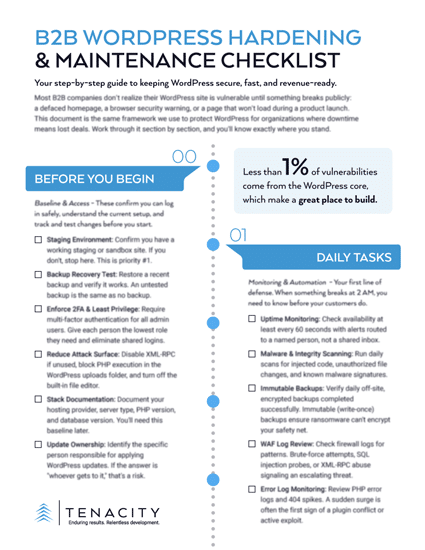
KNOW EXACTLY WHERE YOUR WORDPRESS SITE STANDS
Before you hit Update, confirm your staging, stack, and who owns the upgrade. This checklist walks you through it.
Sources:
- WordPress 7.0 Delay Explained: The Real Reasons Behind the Postponement | InstaWP
- WordPress 7.0 “Armstrong” Released – New Features & Improvements | Objects
- Security Researcher: WordPress 7.0 Could Trigger Rush To Steal AI API Keys | Search Engine Journal
- Community Discussion: WordPress 7 problematic in live sites? | Reddit
- Statistics | WordPress.org
- Creating and managing Workspaces in the Claude Console | Claude Support
- Workspaces in the Anthropic API Console | Claude
- Rate limits | Claude API Docs
- Managing projects in the API platform | OpenAI Help
- OpenAI API Billing 2026: Credits, 5 Tiers, Auto-Recharge | TokenMix
- Billing | Gemini API
- Stop Overpaying: How to Set a Hard Limit on Your Google AI Studio API Key | NurevoFlow
- Google Gemini API Billing Tier Changes 2026 | LaoZhang AI Blog
- Dropping support for PHP 7.2 and 7.3 | Make WordPress
- WordPress 7.0 Hosting Requirements: Is Your Host Ready? | AHosting
- WordPress 7 Technical Requirements Check: Is Your Hosting Ready? | mySites.guru