
Somewhere between ‘just click update’ and a full DevOps pipeline, there’s a gap where most WordPress sites live. It’s also where most WordPress sites break.
WordPress has evolved from a simple blogging tool into a platform that powers nearly 43.4% of the web. But as the platform has grown more capable than ever, keeping it updated has quietly become a high-stakes operation.
Most people updating their WordPress site can’t afford to press the ‘Update’ button and have their site go kaput for hours, days, or weeks while they try to figure out what’s broken and how to fix it.
Maintenance is no longer a routine chore. It’s a discipline that requires an understanding of the specific technical events and architectural changes reshaping WordPress right now.
The March Surge: Security in Real-Time
The second week of March 2026 will likely be remembered as one of the most intense patch cycles in WordPress history. Between March 10 and 11, the core team released three updates in less than 30 hours.
The Chain of Events:
- WordPress 6.9.2 (March 10): A major security release intended to patch ten vulnerabilities, including a high-risk Blind SSRF (Server-Side Request Forgery) and several XSS flaws.
- WordPress 6.9.3 (March 10 – 5 hours later): An emergency bug-fix. The 6.9.2 update inadvertently broke template loading for a specific subset of themes, resulting in “White Screens of Death” for thousands of users.
- WordPress 6.9.4 (March 11): The “Cleanup” release. The security team discovered that the PclZip and XXE patches in 6.9.2 were incomplete. This update finalized the hardening of the getID3 library and the Notes feature.
The urgency behind this cycle wasn’t hypothetical. The ‘ClickFix’ campaign, a social engineering attack tricking site admins into running malicious code by disguising it as a routine browser or plugin fix, was actively exploiting WordPress sites during this window.
Emerging threats like these are why the median time-to-exploit (the window between a vulnerability being announced and attackers launching mass scans) has shrunk to just five hours, making manual updates a dangerous liability. But blindly enabling auto-updates introduces its own risks: untested code pushed to production can break layouts, break plugin compatibility, or take a site offline entirely.
Practically, this could mean a broken contact form silently drops leads for 2 days, or a checkout page throws errors during your busiest sales window, all because an update went live without anyone testing it.
But to be clear, sites that stay current rarely have issues when a security release lands. It’s the ones that have fallen months behind where a single update can cascade into conflicts and breakage.
Looking Ahead: The April WordPress 7.0 Launch
As we move toward April 2026, the ecosystem is preparing for the release of WordPress 7.0. With the first Release Candidate (RC1) scheduled for March 19, this major version represents a significant architectural leap.
How New Features Enhance Safety
- Stricter Validation: Building on the foundations of earlier 2025 updates, 7.0 continues to harden the HTML API, making the processing of website code safer and reducing the risk of “breakage” during theme or plugin interactions.
- AI-Enhanced Infrastructure: Newer core tools are increasingly incorporating AI to suggest code improvements and automatically generate metadata, helping catch potential conflicts before they go live.
- INP Optimization: A major focus of the 2026 cycle is Interaction to Next Paint (INP). The upcoming updates include “yielding to the main thread” techniques that ensure your site remains responsive even during heavy background processing.
The Safe Update Protocol: 2026 Edition
To ensure your site remains resilient, a safe WordPress update in 2026 should follow a strict protocol:
1. The Staging Sandbox
Never apply updates to your live site without a tested backup and a rollback plan. Use Managed Updates where changes are first applied in a staging environment (sandbox). This allows you to detect anomalous behavior or plugin “Dependency Hell”, where one update triggers a cascade of conflicts, without affecting your users.
2. Immutable, Off-Site Backups
Simple server backups are no longer enough in the age of ransomware. You must implement immutable, off-site backups and practice disaster recovery drills to ensure you can restore operations within minutes if an update goes sideways.
3. Visual Regression Testing
Modern maintenance plans now include Visual Regression Testing. Tools take before-and-after screenshots of key pages during an update to detect even pixel-level discrepancies that might be missed by the human eye.
4. Audit Your “Zombie Plugins”
Each update is an opportunity to reduce your Technical Debt. Before running core updates (like the upcoming 7.0), you should prune your stack. Zombie Plugins are those that haven’t been updated in 6+ months or are no longer compatible with the new HTML, API, or INP standards. Removing these significantly lowers the attack surface for hackers.
5. INP Optimization
After an update, you must test your INP score. A safe update keeps your interaction latency below 200ms. If an update causes your menus or buttons to feel sluggish, it’s technically a “broken” update that will hurt your SEO and conversions. Real User Monitoring can reveal changes in INP before they become an issue.
Scaling with Integrity: Turning Maintenance into a Competitive Advantage
None of this means WordPress is unreliable.
In fact, most real-world breakage (over 95%) comes from plugin/theme updates or from interactions between a WordPress core update and an outdated plugin—not from the CMS itself.
All of that being said, WordPress is now sophisticated enough that maintaining it well is a real skill set. A competent in-house developer commands between $99,500 and $114,800, reflecting the shift from basic webmastering to genuine systems architecture.
If your team has the process and the bandwidth to run staging, test backups, and monitor post-update performance, you’re in great shape. If that sounds like more than you signed up for, that’s exactly why managed maintenance exists. Check out our WordPress Maintenance Plans to see how we handle it, or contact us directly.
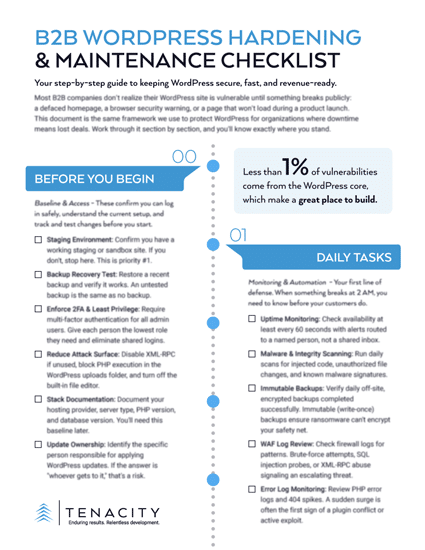
DOWNLOAD THE B2B WORDPRESS SECURITY CHECKLIST
Sources:
- WordPress Pushes Third Update In 24 Hours, Reaches Version 6.9.4 | Search Engine World
- WordPress 7.0 Release Party Schedule | WordPress.org (Make Core)
- WordPress 7.0 Release Status and Timeline | WP Umbrella
- WordPress 7.0: What’s New and What You Need to Know | BrightVessel
- How to Safely Update WordPress | WisdmLabs
- State of WordPress Security in 2026 – Security Whitepaper | PatchStack
- 10 WordPress Security Best Practices for 2026 | miniOrange
- WordPress Vulnerability Report – March 4, 2026 | SolidWP
- How to Update WordPress (Best Practices) | cmsMinds
- Ultimate List of WordPress Stats, Facts, and Other Research | WPBeginner
- WordPress in 2025 Report | WordPress.org (Noel Tock)
- How To Find, Fix & Optimize INP (Interaction To Next Paint) Issues On Your WordPress Site | WPSpeedFix
- Core Web Vitals: Everything You Need to Know | NitroPack
- INP: Understanding the New Core Web Vitals Metric | Hostinger
- 2025 Cyber Incident Trends: What Your Business Needs to Know | Mayer Brown
- The Ultimate WordPress Security Guide – Step by Step | WPBeginner
- The #1 WordPress Security Guide | Jetpack
- WordPress Maintenance Cost in 2025: How Much Should You Pay? | WPKraken
- 5 Questions to Ask Before Choosing a WordPress Care Plan | WP Division
- Top Questions to Ask About Ongoing WordPress Support | Acclaim Agency
- The Ultimate WordPress Website Maintenance Checklist for 2025 | WP Umbrella
- 2025 Mid-Year WordPress Vulnerability Report | PatchStack