
In 2026, the digital landscape presents a complex paradox for the B2B sector. On one hand, WordPress’s dominance is statistically irrefutable: it powers 43% of all websites globally and commands over 60% of the CMS market.
Despite this ubiquity, an undercurrent of persistent anxiety about platform security. As ransomware groups like LockBit evolve from simple site defacement to sophisticated data extortion, B2B executives are rightly asking: Is WordPress a security liability?. The answer is that the “liability” rarely lies with the software itself, but in a set-it-and-forget-it mindset that fails to treat a website as a resilient digital asset.
Myth vs. Reality: What “Secure” Really Means
For high-stakes B2B sites, security has evolved from a routine administrative task into a sophisticated discipline of DevOps.
Myth: “WordPress is too popular to be safe.”
Reality: Popularity ensures the fastest patch cycles and the most eyes on the code; the enterprise tier (including brands like Disney and Sony) relies on it for this exact reason.
Myth: “Security is just about having a plugin.”
Reality: Plugins account for 96% of vulnerabilities in the ecosystem. In 2026, security is an architecture, not a checkbox.
The “Liability” Trap: Neglecting maintenance is like ignoring oil changes in a car—eventually, the system breaks. An approach like this is a false economy that leads to accumulated technical debt and high-cost emergency cleanups.
7 Questions to Ask Your WordPress Agency
In an era where attackers compromise reputable plugins to bypass firewalls (a Trojan horse method), you need a high-authority partner. Ask your agency these questions to verify their technical maturity:
- How do you handle “Zero-Day” vulnerabilities?
Ask if they have a protocol for threats before a patch is released. - What is your specific protocol for “Supply Chain” attacks?
Do they use Managed Updates with staging/sandbox testing to detect anomalous behavior before going live? - Are your backups “Immutable” (read-only) and stored off-site?
Backups stored on the same server are useless if a ransomware group encrypts your entire server. - Do you perform a technical “Privacy Audit” for GDPR and Google Consent Mode v2?
Compliance now requires actually blocking scripts until consent is given, not just showing a banner. - Do you monitor Core Web Vitals as part of your process? A sudden performance regression usually points to a plugin conflict or unvetted script, but the same monitoring also catches unauthorized code injections.
- Do you provide “DevOps as a Service” or just simple updates?
Standard maintenance should include database optimization, visual regression testing, and uptime monitoring. - Is your hosting “Edge-enabled”?
Modern hosting filters malicious traffic at distributed nodes before it ever hits your origin server.
The Red Flags: Signs Your Site Has Been Hacked
Security breaches in 2026 are often designed to be invisible to the site owner. So when the security process breaks down — or never existed — here’s what to look for:
- Ghost Admin Users: Check your “All Users” list for unauthorized accounts, often with generic names like “admin2” or “support”.
- Japanese Keyword / SEO Spam: If your Google search results show strange Japanese text or pharmaceutical links while your site looks normal, your SEO authority has been hijacked.
- Spikes in Server Resource Usage: Sudden high CPU or bandwidth usage, even with normal traffic, often indicates Cryptojacking (using your server to mine crypto).
- Performance “Lag”: If users click “Add to Cart” and nothing happens for half a second, it can indicate heavy third-party scripts or unwanted injections. Either way, investigate.
- Breaking Transactional Workflows: If forms or checkout processes fail after an update, it often signals dependency conflicts, conflicts between unmanaged third-party plugins.
The Economics of Maintenance: From “Free” to Fortified
For B2B companies, the “free” in WordPress is a misnomer. The primary cost driver is Dependency Management—managing the 30–50 plugins that a typical business site relies on.
To put it in dollar terms: a typical emergency malware remediation runs $3,000–$5,000 and can take your site offline for days. A monthly maintenance engagement costs a fraction of that and prevents the emergency entirely. The math isn’t complicated — but it does require treating your website budget as operational, not one-time.
The strategic mandate for this year is Plugin Consolidation. Every plugin acts as a potential backdoor. If a plugin doesn’t directly contribute to revenue or essential UX, it is a liability, not a feature. Remove “zombie plugins” (those abandoned by developers) and build custom functionality to reduce the “attack surface”. Allocating a budget for “Technical Debt Repayment” is no longer optional; it is the cost of keeping your digital asset lean and secure.
The Bottom Line
WordPress remains the most resilient and adaptable tool for business-critical sites, provided it is wielded with expertise and foresight. The question is no longer whether WordPress is relevant, but whether your business is prepared to invest in the quality required to unlock its full potential.
Don’t let your website be the vulnerability in your B2B strategy. Security isn’t a plugin you buy; it’s a daily discipline. Ready to treat your website like the business asset it is? Let’s talk.
Looking for a more DIY approach?
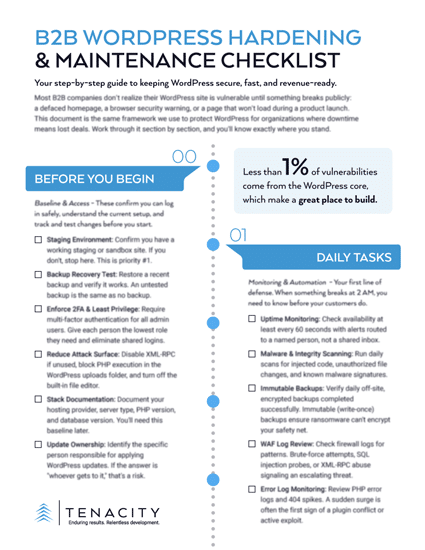
DOWNLOAD THE B2B WORDPRESS SECURITY CHECKLIST
Sources:
- Top WordPress Trends in 2025 That You Must Know | AccuWeb Hosting
- WooCommerce in 2025: Building a platform for the future | WooCommerce Developer Blog
- WordPress Maintenance is Key to Website Success in 2025 | Blue Atlas Marketing
- Essential website questions business owners ask first (2025) | Wildings Studio
- How to Contact WordPress Support (Complete Beginner’s Guide) | WPBeginner
- WordPress Support Number and Live Chat 2025 (Details Guide) | WPTOWP
- WordPress AI (2025): Best Plugins, Chatbots & SEO Guide | Digital4Design
- Patchstack’s 2025 WordPress Security Report: Mid-Year Vulnerability Breakdown | Patchstack
- AI Chatbots for WordPress: Complete 2025 Guide to Boost Engagement | IceCube Digital