
Let’s talk about something that can cause a serious headache for any business owner: watching your website traffic numbers go down. You’ve invested time, money, and energy into your online presence, and seeing fewer visitors can feel like a punch to the gut. Leads are drying up, sales are dipping, or you’re worried about what’s going on.
Being in the web development scene, we see this scenario reasonably often.
Sometimes it’s a simple fix, other times it’s more complex. But before you panic, let’s walk through a methodical checklist of the most common culprits we look for when a client tells us their traffic has dropped. Think of this as your initial diagnostic scan.
Is Your Tracking Actually Working?
This might sound basic, but you’d be surprised how often the problem isn’t lost traffic, but unreported traffic. You can’t fix a traffic problem if your measuring stick is broken. Accurate data is the foundation for any good decision.
Analytics Check:
- Is your analytics code still there? Whether you use Google Analytics (GA4 is the current standard) or another platform, make sure the tracking code snippet is correctly installed on every single page of your website. Sometimes, a site update or theme change can accidentally remove it.
Not sure if you’ve upgraded to GA4? You can find out now with our
Free GA4 Checker!
- Did your analytics setup change? If you recently migrated to GA4, for example, are you looking at the right reports? Are filters set up correctly? A misconfigured filter could easily hide legitimate traffic.
- Any recent website changes? Deploying new code, changing content management systems (CMS), or even simple plugin updates can sometimes interfere with tracking scripts.
Is Your Site Accessible and Fast?
If people (and search engines) can’t easily access your site, your traffic will suffer.
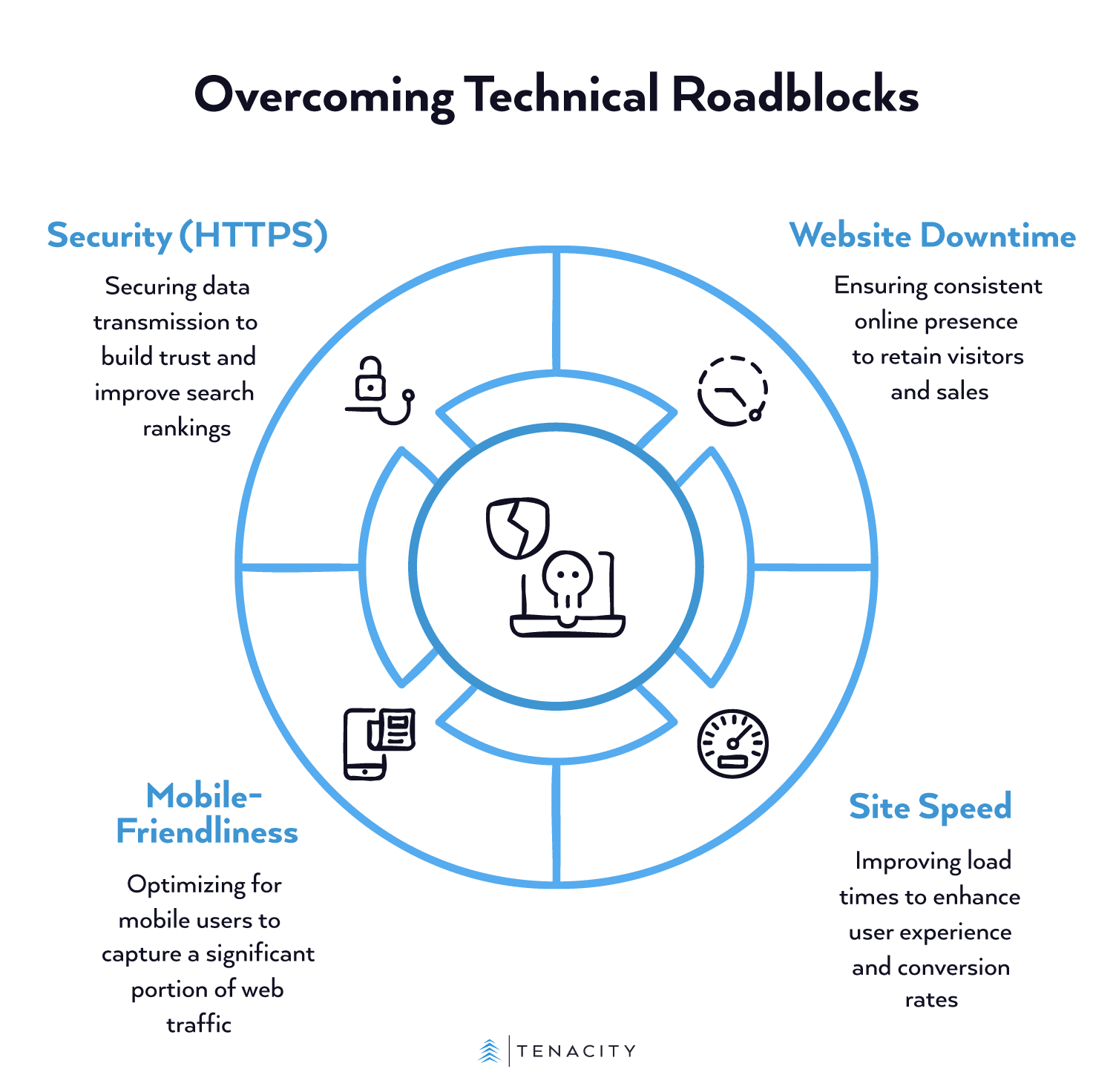
Technical Roadblocks:
- Website Downtime: Is your site actually online and stable? Check with your hosting provider. Even brief, intermittent outages can deter visitors and hurt your search engine rankings. Consider this, if a potential customer tries your site twice and it’s down both times, are they likely to try it a third time? Probably not. The cost of downtime can be significant, not just in lost immediate sales but in reputation.
- Site Speed: How fast does your site load? Use tools like Google’s PageSpeed Insights. Slow-loading sites frustrate users and lead to higher bounce rates, as people leave immediately. Google has indicated that site speed is a ranking factor for search results. Furthermore, studies have shown conversion rates can drop significantly with each extra second of load time. For instance, Deloitte found that a 0.1-second improvement in site speed can boost conversion rates by 8%.
- Mobile-Friendliness: Is your site easy to use on smartphones and tablets? Most web traffic now comes from mobile devices. Use Google’s Mobile-Friendly Test tool. As of March 2024, mobile devices accounted for over 59% of website traffic worldwide. If your site isn’t mobile-friendly, you’re potentially alienating more than half your audience.
- Security (HTTPS): Does your site use HTTPS (the padlock icon in the browser bar)? Browsers actively warn users about insecure (HTTP) sites, which scares visitors away. Google also uses HTTPS as a ranking signal.HTTPS encrypts data between the user’s browser and your server, building trust, especially if you handle logins or payments.
Search Engine Blues
Sometimes, a traffic drop is related to how search engines like Google see your site.
SEO Issues:
- Google Algorithm Updates: Google frequently updates its search algorithms. Major “Core Updates” can significantly change how sites are ranked. Check SEO news sites, like Search Engine Land or Moz Blog, to see if there’s been a recent update that might align with your traffic drop.
- Manual Actions/Penalties: Log into your Google Search Console account (you do have one, right? It’s free and essential!). Check under “Security & Manual Actions.” Google will explicitly tell you here if they’ve penalized your site for violating their guidelines.
- Indexing Problems: Are your important pages even in Google’s index? Use the site:yourdomain.com search operator in Google to see which pages are listed. You can also use Google Search Console’s “Pages” report to check for indexing errors. Maybe a robots.txt file change accidentally blocked Google, or pages were mistakenly marked ‘noindex’.
Is Your Site Still Relevant?
Maybe the technical stuff is fine, but your site itself isn’t meeting user needs anymore.
Content and User Experience:
- Outdated Content: Is the information on your site stale? Are product details, services, or blog posts still relevant and accurate? Users, as well as Google, prefer fresh, up-to-date content.
- Poor User Experience (UX): Is your site hard to navigate? Can people find what they’re looking for quickly and easily? High bounce rates or low time-on-page in your analytics might indicate UX problems. While it is hard to quantify universally, studies often highlight the ROI of good UX. Forrester Research has reported that, on average, every dollar invested in UX brings $100 in return (ROI of 9,900%), highlighting how critical a good experience is.
- Competitor Changes: Have your competitors recently revamped their websites or stepped up their marketing? Maybe they’re capturing traffic that used to be yours.
Things Outside Your Website
Sometimes the cause lies outside your direct website control.
External Factors:
- Referral Traffic: Did a major source of referral traffic dry up? (e.g., a link from a partner site was removed, a popular directory listing changed). Check your Analytics under Acquisition > Traffic Acquisition, looking at session sources/mediums.
- Marketing Campaign Changes: Did a paid advertising campaign (Google Ads, social media ads) recently end or get paused? Did you stop a newsletter or social media promotion?
- Seasonality: Is your business seasonal? Could the traffic drop simply be a normal fluctuation for this time of year? Compare your traffic data to the same period last year.
Okay, Deep Breath.
Going through this checklist should provide you with a clearer picture of potential reasons for your traffic decline. Start with the easiest things to check (like analytics tracking and downtime) and work your way through.
Remember, identifying the cause is the crucial first step. Once you know why your traffic is down, you can start formulating a plan to fix it, whether that’s tweaking your site, updating your content, or adjusting your marketing strategy.
If you get stuck or find issues that seem too technical, don’t hesitate to reach out to us with any questions or concerns you have. We handle these types of diagnostics all the time and can help you get back on track.
Sources:
- Navigating the Panic: Solutions for a Sudden Drop in Website Traffic | Digital Commerce Partners
- Why did my site traffic drop? – Search Console Help
- The 12 Main Causes for a Sudden Drop in Website Traffic | Avidon Marketing Group
- 6 Things to Check for When Your Organic Traffic Suddenly Drops | WordStream
- How to Analyze a Sudden Drop in Website Traffic [With Template] | Ahrefs
- Milliseconds Make Millions | Deloitte Ireland
- Desktop vs Mobile Market Share Worldwide | Statcounter Global Stats
- The Six Steps For Justifying Better UX | Forrester